Product update · September 2026
Long scripts made easy. Plus exact answers and payment days
Here is what we shipped in Convershake in September. Long call scripts now fold into sections, and you can hear recent calls inside them. AI helps you write and translate each step. You choose which answers are spoken word for word. And a new field collects the payment day.

Vitālijs Silins-Ozerson LinkedIn
CTO & co-founder · 30 September 2026
major
Work on long scripts, section by section
Group a long call script into named sections, then open one and work only on that part. You can also play recent recorded calls inside a section and watch the caller move from step to step.
A collections script soon grows past twenty steps. Sections keep it readable. AI can suggest the grouping, and you review it before anything changes. Calls follow the same paths as before.
- Switch between the full diagram and the sections view at any time.
- Open a section to see only its steps, then go to the next or previous section.
- Pick one of the latest 50 recorded calls that reached a section. The diagram follows the caller as the audio plays.
- The Flow editor button on a call now opens your script with that call ready to play.
What shipped
- Sections view and full diagram
- AI-suggested sections you review
- Section call playback
- Diagram follows the call
- Open a call in its script
major
AI help on every step you write
You can already build a whole script by describing it in chat. Now AI helps inside each step too: it drafts wording options, translates a message, and suggests what should happen next.
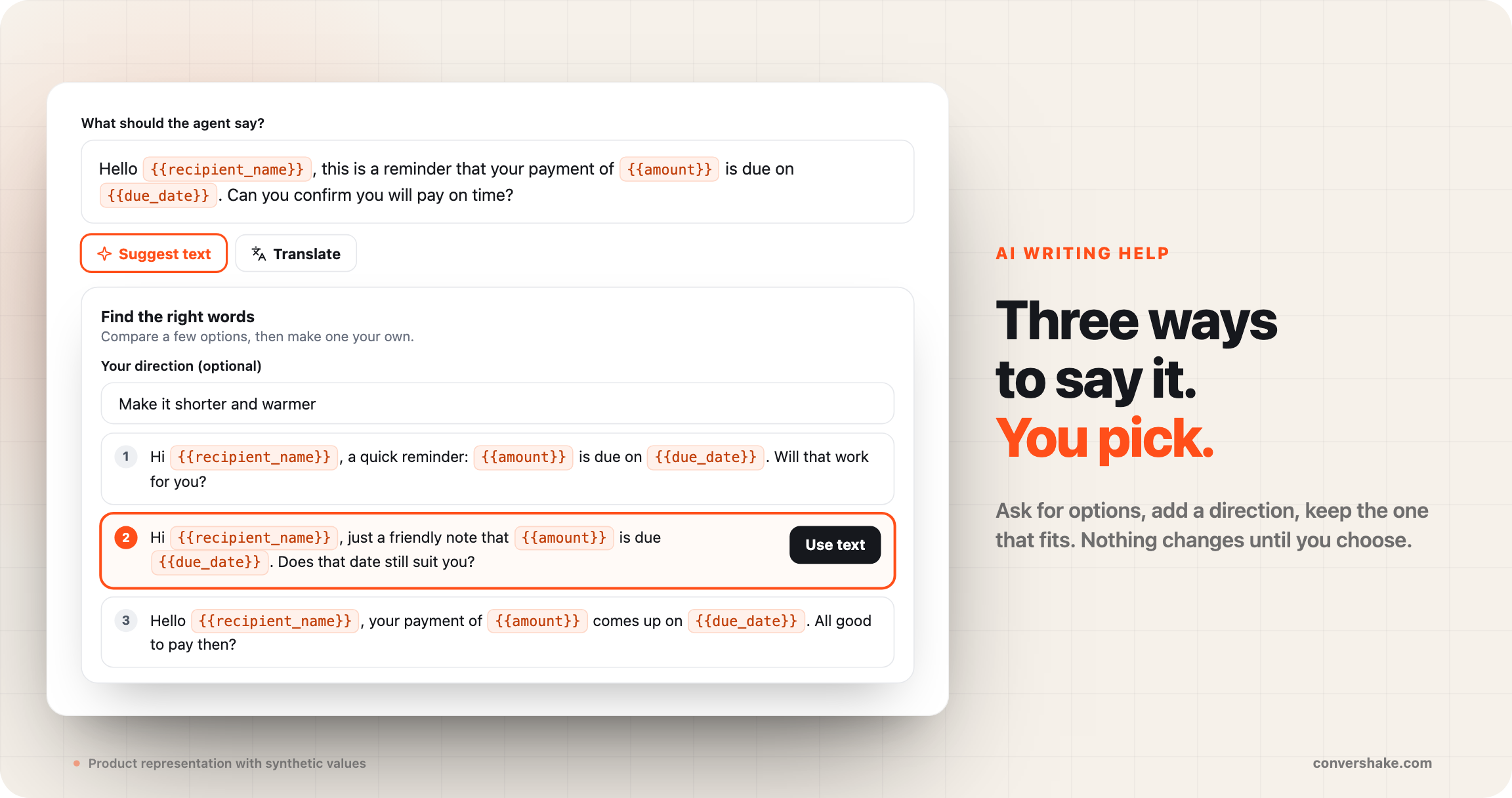
Writing the exact words is the slow part of building a script. Ask for options, add a direction like shorter and warmer, and keep the one that fits. Nothing changes until you choose.
- Suggest text gives a few versions of what the agent says. It keeps your fields, such as the borrower's name.
- Translate fills in a message, a Q&A answer or example replies in the script's other language.
- Suggest name and Suggest examples help you set up the borrower's possible answers.
- Suggest next steps proposes the paths after a step. You review them, then chat builds the ones you approve.
What shipped
- Suggest text, with your direction
- Translate per message
- Suggest names and examples
- Suggest next steps
major
Ask for a payment day, get a clean number
Mark a number field as Day of the month. When the borrower says on the fifteenth, the field saves 15, and the agent reads it back as the fifteenth.
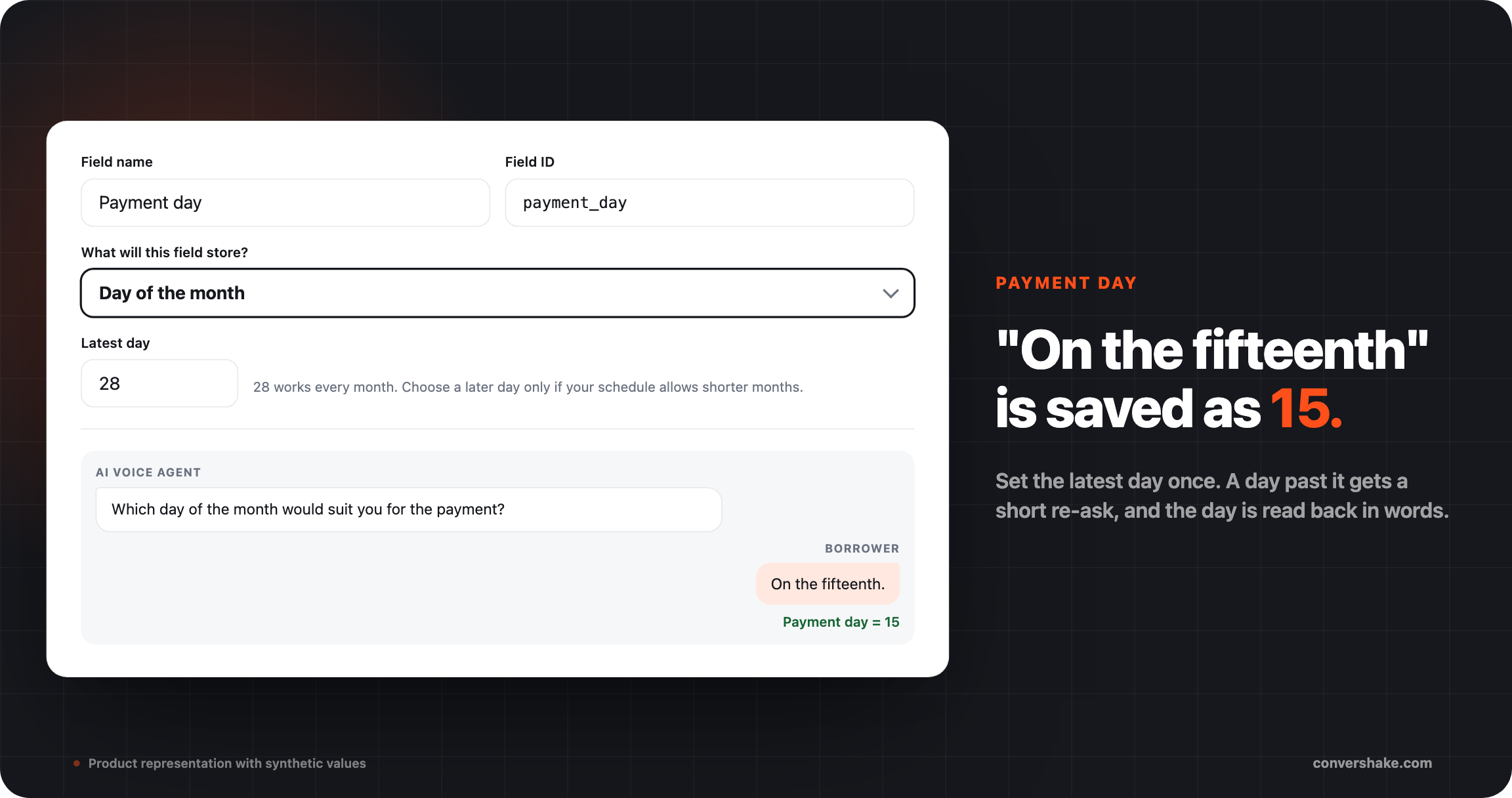
A payment-date change is one of the most common calls in lending. The answer now arrives as a clean day number your team can use, with a limit you set.
- Set the latest day you accept. The default is 28, so the day exists in every month.
- A day past your limit gets a short re-ask, such as please choose a day between 1 and 28.
- A vague answer, such as the end of the month, gets a clarifying question.
- In Latvian and Russian, the spoken day takes the form the sentence needs.
What shipped
- Day of the month field
- Latest day you accept
- Re-ask past your limit
- Read back as a spoken day
major
Choose how each answer is spoken
Every Q&A answer now has its own switch. Leave it off and the agent says your answer word for word. Turn it on and the agent may reword it to fit how the borrower asked.
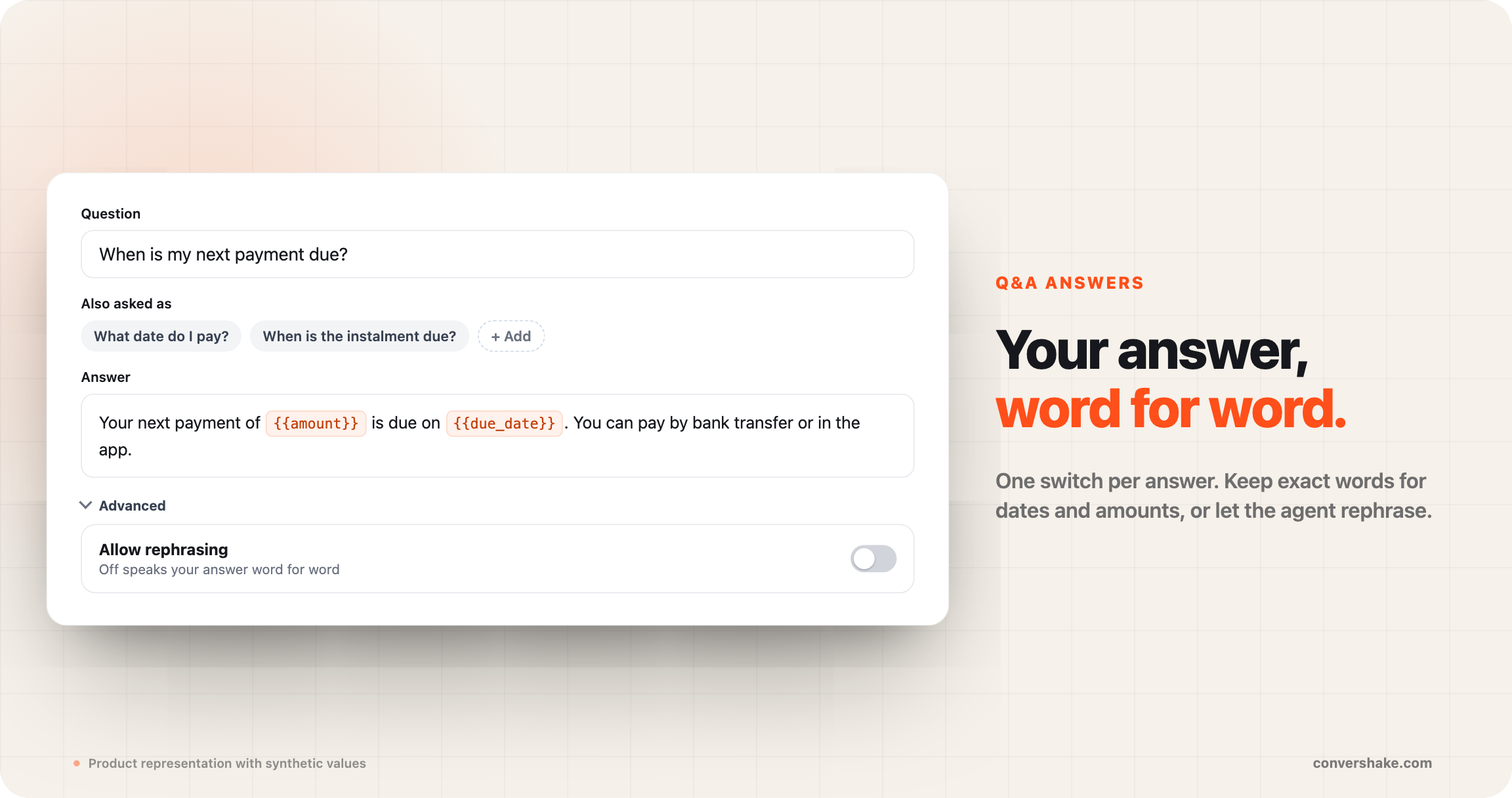
Some answers must never change, like a due date or a fee rule. Others read better in natural words. Now you decide answer by answer, and new scripts start word for word.
- Add up to ten other ways a borrower might ask the same question. You can translate them too.
- Write your own lines for when no answer fits, or when the agent cannot answer right now.
- Built-in versions of those lines exist in 19 languages, including Latvian, Russian and Romanian.
- Existing scripts keep their current answers until you change the switch and publish again.
What shipped
- Allow rephrasing, per answer
- Word for word by default
- Also asked as phrasings
- Your own Q&A messages
Everything else that shipped

Building call scripts

Languages

Calls and reporting
Campaigns
See it on your own flows
These shipped for every workspace with outbound campaigns.