Product update · October 2026
See how every call script performs
In October we shipped two major features, now on for every Convershake account. Analyse puts your real calls on top of each call script. You see how many callers reach every step, where they drop off, which routes they take, and how a new version compares. Reports show what every script achieves. They cover outcomes such as promises to pay, the contact funnel, the hours borrowers pick up, and whether a change made a real difference. Every number in both opens the calls behind it. Also new this month: faster call reviews, real dates from end of the month, and an escalations queue.

Edmunds Beinarovičson LinkedIn
Founding developer · 31 October 2026
major
See how callers move through your script
Choose Analyse in any call script. Your real calls from the last 30 days appear on every step: how many reached it, where they dropped off, and which routes they took.
Compare a new version with the last one, and open the calls behind any number. By default, a step that loses one caller in five turns red, so you know where to start.
- Biggest leaks lists the steps that lose the most callers first.
- Top paths shows the routes most calls take through your script.
- Script sections show a one-line summary, such as 15% drop off at Identity check.
- After you change a step, compare the live version with the previous one. Every number opens its calls.
What shipped
- Analyse for every account
- Biggest leaks list
- Top paths view
- Section drop-off summaries
- Compare with the previous version
major
See what every call script achieves
Reports, new in the left menu, show what each script achieves. See outcomes such as promises to pay, the contact funnel, the hours borrowers pick up, and version compares.
Pick a period, a script or a campaign. Every number opens the calls behind it, and you can export the report for your next meeting.
- Compare two periods, scripts or versions, and see if a change is real or within noise.
- Timing shows when borrowers pick up, by hour of day and day of week.
- Set a target for a result and see if you are on pace.
- Each call shows its outcome, and account owners can add their own outcomes.
What shipped
- Reports for every account
- Compare periods and versions
- Timing by hour and day
- Targets and pace
- Outcome on every call
major
Check any call in seconds
Expand a call in the list to see the conversation, the outcome and the answers collected. Open it for a short summary, or translate the transcript to English.
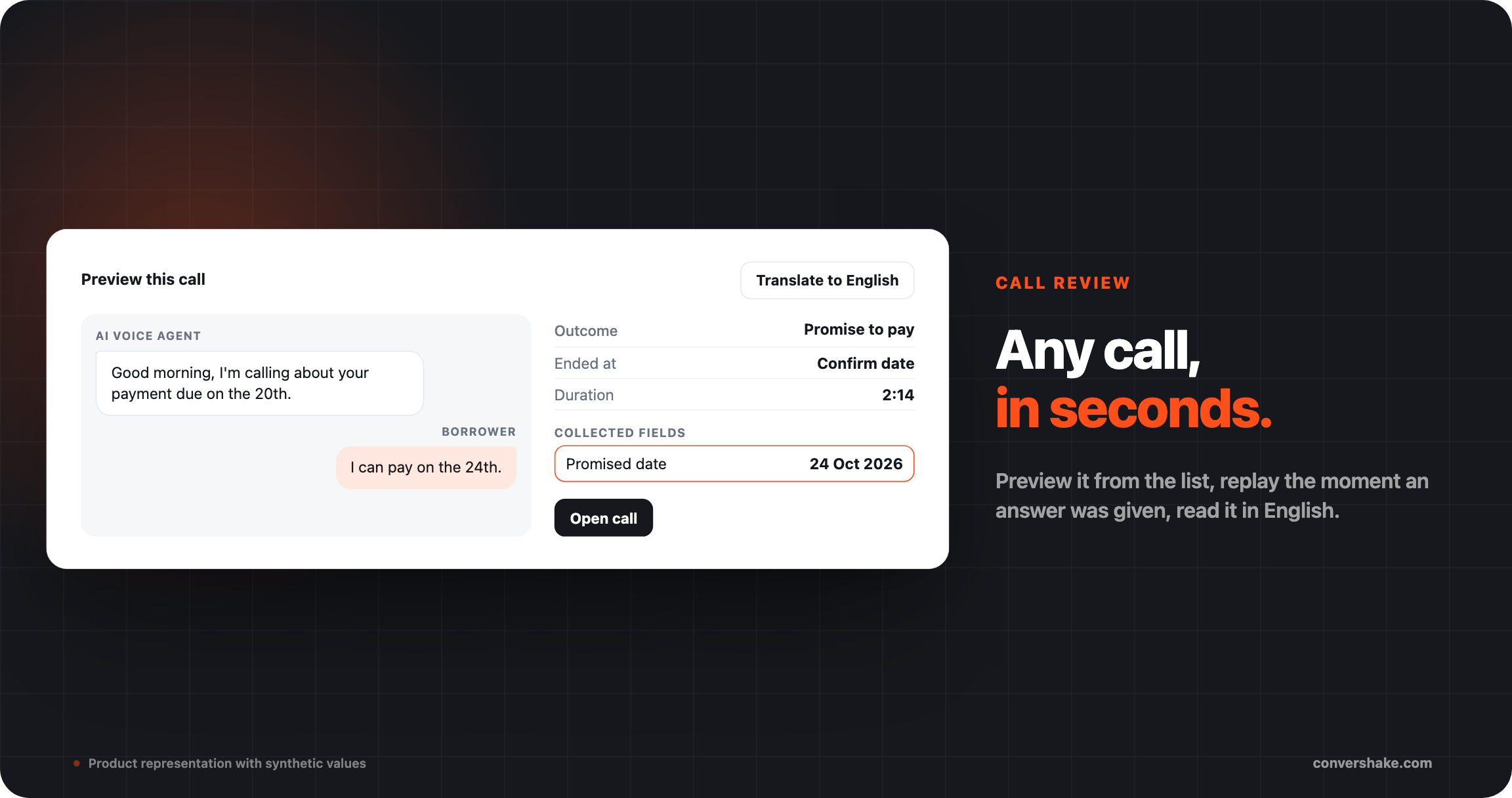
Most checks start with one question: how did this call end? The list now answers it, and the call page jumps to the moment that matters.
- Each call opens with a summary: how it ended, its length, steps and fields.
- Click a collected answer to hear the call from just before it was given.
- Translate a transcript to English or another language, and switch back to the original.
- Copy or download the transcript in either language.
What shipped
- Preview this call
- Call summary card
- Replay from an answer
- Translate to English
major
Dates read the way borrowers say them
Turn on date interpretation for a date question. Answers like end of the month or before the weekend become real dates, and two dates in one answer get a short question.
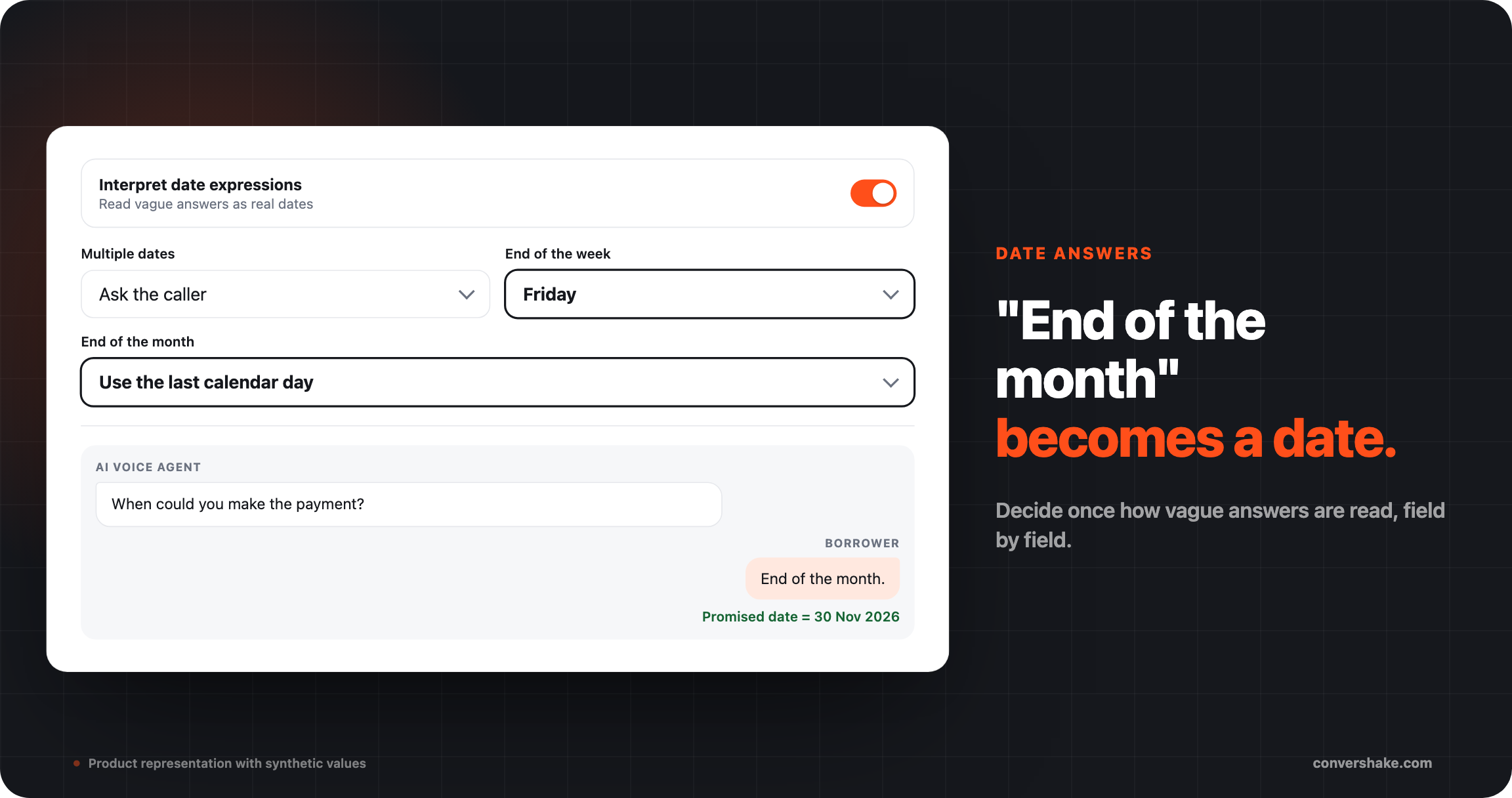
Borrowers rarely say a full date. You decide how the agent reads the vague ones, field by field.
- Multiple dates: ask the caller, or take the earliest or latest date.
- End of the week: ask the caller, or use a day you choose, such as Friday.
- End of the month: ask the caller, or use the last calendar day.
- A day without a month can be read as the nearest upcoming date.
What shipped
- Interpret date expressions
- End of week and month rules
- Nearest upcoming date
- Natural follow-up questions
Everything else that shipped

Building call scripts

Calls and reporting
See it on your own flows
These shipped for every workspace with outbound campaigns.