Product update · August 2026
One agent, two languages. Plus smarter redials and a queue for follow-ups
Here is what we shipped in August. Your AI voice agent now speaks two languages on one call. Campaigns redial from a fresh number. Calls that need a person land in one queue. And you can test a script on your own phone. Plus a date-and-time question type, a spoken-currency setting, and more.

Edmunds Beinarovičson LinkedIn
Founding developer · 10 September 2026
major
Your agent now speaks two languages
Since July your agent could notice a borrower answering in another language and check first. Now the call simply continues in that language. Your whole script, in your own translations, including answers to common questions.
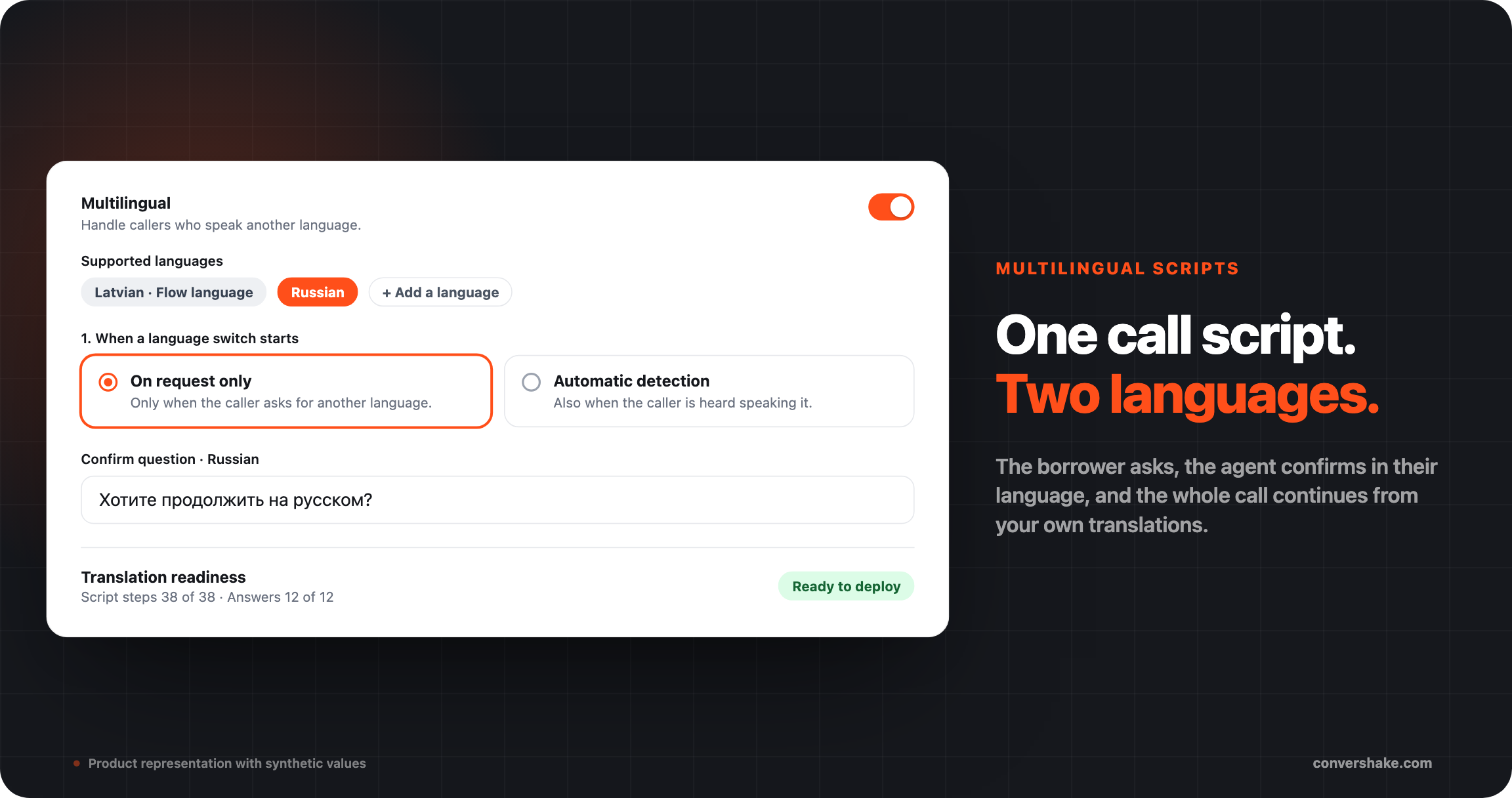
Set it up once in the script's new Multilingual tab. Pick the languages, what starts a switch, whether the agent confirms first, and what it does next. A readiness check shows what still needs translating. The script cannot go live until it is complete.
- Two ways to start a switch. On request only: the borrower asks. Automatic detection: the agent hears them speaking the other language.
- The agent asks the confirmation question in the new language. A yes proves the borrower can follow it.
- After the switch the agent stays in that language to the end. Amounts and dates are read the way that language says them.
- Translations stay with the script when you export or import it. Each translation view has a link you can share.
What shipped
- One Multilingual settings tab
- On request only mode
- Translated answers, spoken word for word
- Confirmation in the new language
- Translations survive export and import
major
Redial from a number they have not declined
A campaign can now dial from several of your trunk's numbers, not one. Each redial prefers a number this borrower has not seen. A call screened once is not screened again on the same number.
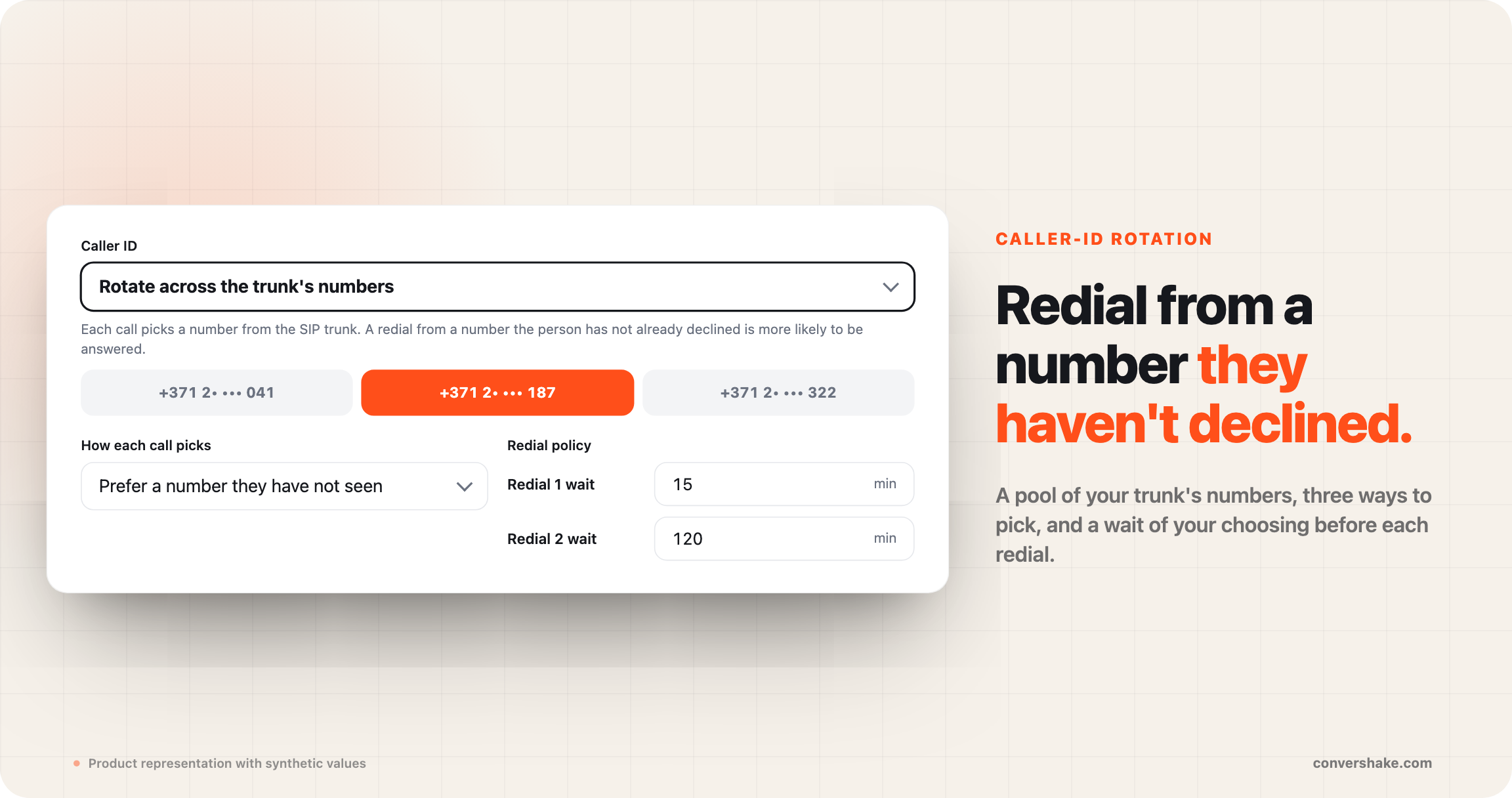
You already set how many redials a campaign makes and how long it waits. What is new: which number the borrower sees, and a different wait before each redial. Try again in 15 minutes, then in two hours.
- Three ways to pick the number: prefer one the person has not seen (default), keep one number per person, or pick at random.
- Add or remove a number on the trunk and it applies at once, even to a running campaign.
- Set a wait before each redial: up to ten waits, from 1 minute to 24 hours. The last wait repeats if more redials remain.
- Both settings are in the campaign builder and on the campaign API.
What shipped
- Caller-ID rotation, three modes
- Per-redial waits, builder and API
- Trunk changes apply to live campaigns
major
One queue for calls that need a person
A new Escalations tab on the Calls page lists every call that needs follow-up. Transfers to your team that did not connect, plus calls that match your own rules, such as a callback request or a dispute. Resolve each one when it is handled.
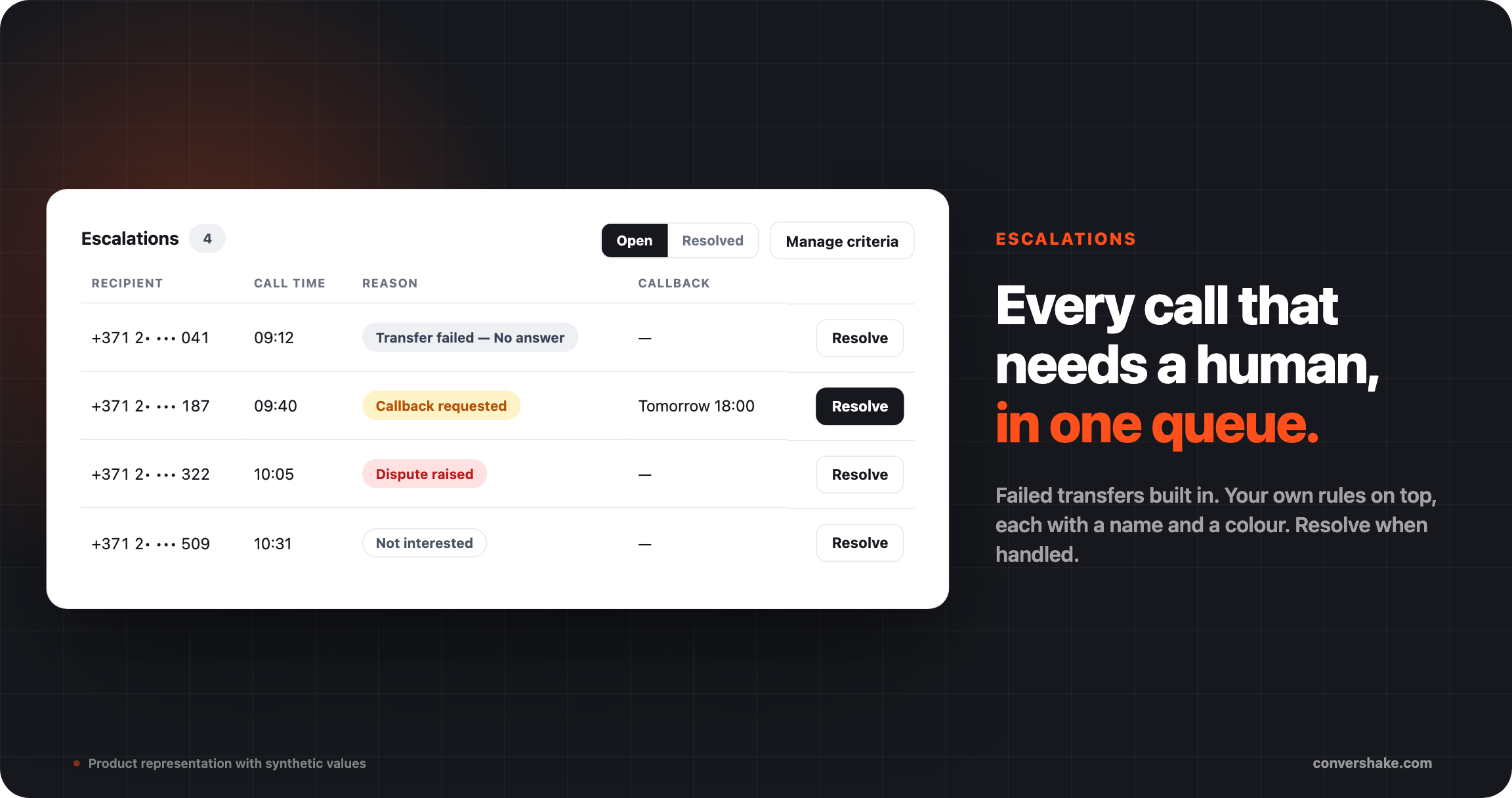
Each row shows who, when and why in plain words. It carries the callback time when the borrower gave one, and a link to the call. Resolved items move to their own view with who closed them and when.
- Failed transfers are always in: no answer, rejected, connection error, not attempted, or the borrower hung up.
- Add your own rules on collected fields: a field equals a value, or is set. Financial, card and identity-check fields are excluded.
- Give each rule a name and a colour, so a callback request and a rejection look different at a glance.
- Call history gets a Transfer failed filter for the list, the export and the metrics tiles.
What shipped
- Escalations tab, Open and Resolved
- Your own rules per project
- Named, colour-coded reasons
- Transfer failed filter
major
Hear your script on a real phone
Type your number in the script editor and your AI voice agent calls you. It runs the exact version you have open, over your own phone line. The conversation appears on your screen as you talk.
Browser testing checks the logic. The phone is where you hear how the greeting lands and how an amount sounds. Nothing goes live, and there is no campaign to set up. Full story in the launch post, Test calls: your agent calls you first.
- The call runs the draft you are editing, not the published version.
- If the script needs details to run, such as a name or a due date, you enter them before dialing.
- Test calls get a Test badge and stay out of your reports by default. The Test & practice filter brings them back.
- Before a browser session, a headset check explains why laptop speakers make the agent mishear.
What shipped
- Phone test calls from the editor
- Live transcript during the call
- Test badge and filter
- Headset check for browser tests
Everything else that shipped
Campaigns

Building call scripts

Calls and reporting

Languages
See it on your own flows
These shipped for every workspace with outbound campaigns.