Product update · April 2026
More natural calls, your own SIP trunk, and live monitoring
Here is what we shipped in April. Four big changes your team will feel first — more natural conversations, your own telephony, live call monitoring and two-channel recordings — plus everything else, listed at the end.

Vitālijs Silins-Ozerson LinkedIn
CTO & co-founder · 30 April 2026
major
More natural calls that stay on your script
Your AI voice agent handles the moments that make a call feel human — a borrower going off-topic, asking a question mid-sentence, correcting a detail, or getting frustrated — responds naturally, then guides the conversation back to the next step of your call script. Each behavior is configurable, so you decide how much freedom the agent gives.
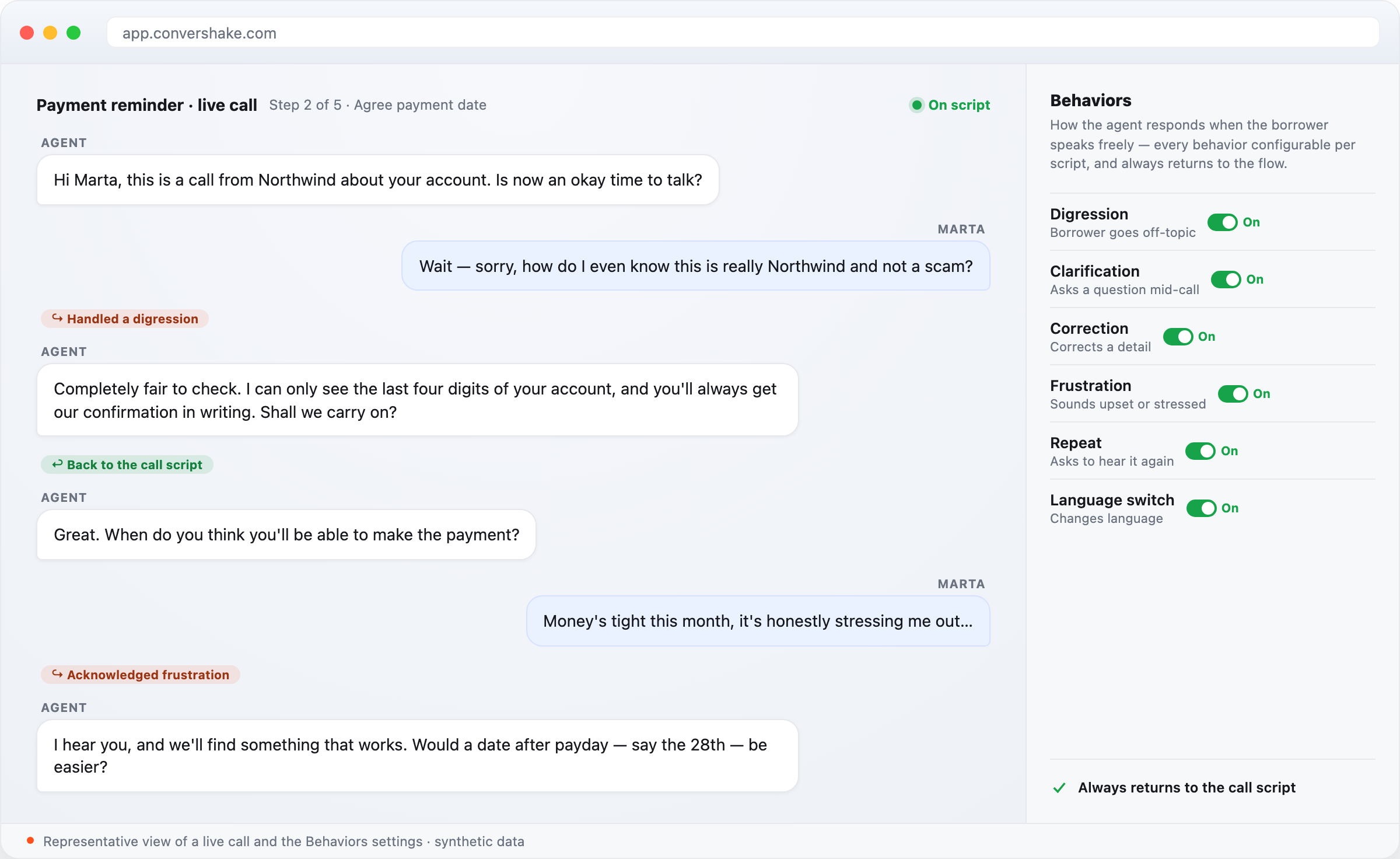
Real borrowers interrupt, wander, and push back. A collections call sounds human only when the agent can follow them there — and still bring the conversation back on track.
- Configurable behaviors for digressions, clarifications, corrections, repeats, frustration, and mid-call language switches.
- After handling an interruption, the agent always returns to the next step of your call script.
- One Behaviors table to configure every conversational behavior in one place — set per call script, per step, per project, or account-wide.
- Sensible defaults out of the box, so borrowers get a natural call with no setup.
What shipped
- Unified Behaviors table for every conversational behavior
- Handles digressions, clarifications, corrections, repeats, frustration, language switches
- Always returns to the next step of the call script
- Configurable per call script, step, project, and account
major
Bring your own SIP trunk
Connect your own SIP trunk and Convershake runs calls over your carrier, from your own phone numbers. Add a trunk and the platform validates it, syncs the gateway, and routes your outbound campaigns through it — with your caller IDs on every call.
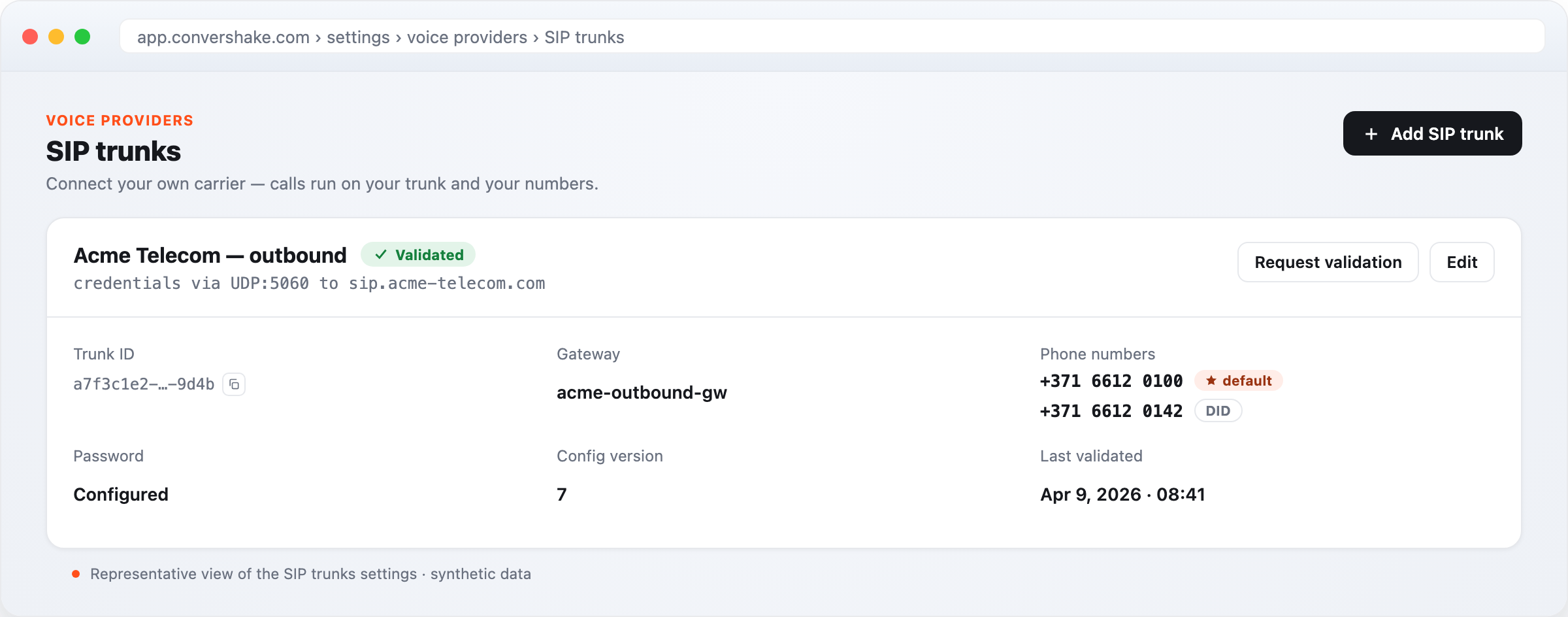
Your carrier contracts, your phone numbers, your caller IDs — telephony is something lenders want to keep on their own terms.
- Add and manage SIP trunks under Settings → Voice providers, with encrypted credentials.
- Convershake validates the trunk and syncs the gateway before any call runs.
- Outbound campaigns dial through your trunk, using your own phone numbers as caller ID.
- Set a default caller ID per trunk; each number is checked so an inbound-only number is never used for outbound.
What shipped
- SIP trunk lifecycle — add, validate, sync, manage
- Outbound campaigns dispatch through your own trunk
- Your phone numbers as caller ID, validated per direction
- Encrypted trunk credentials
major
Watch your calls live, as they happen
The Live calls view shows every call in flight — ringing and connected — and streams the transcript of any call as it's spoken. When a call ends, you see exactly why, with the elapsed time, right in the transcript.
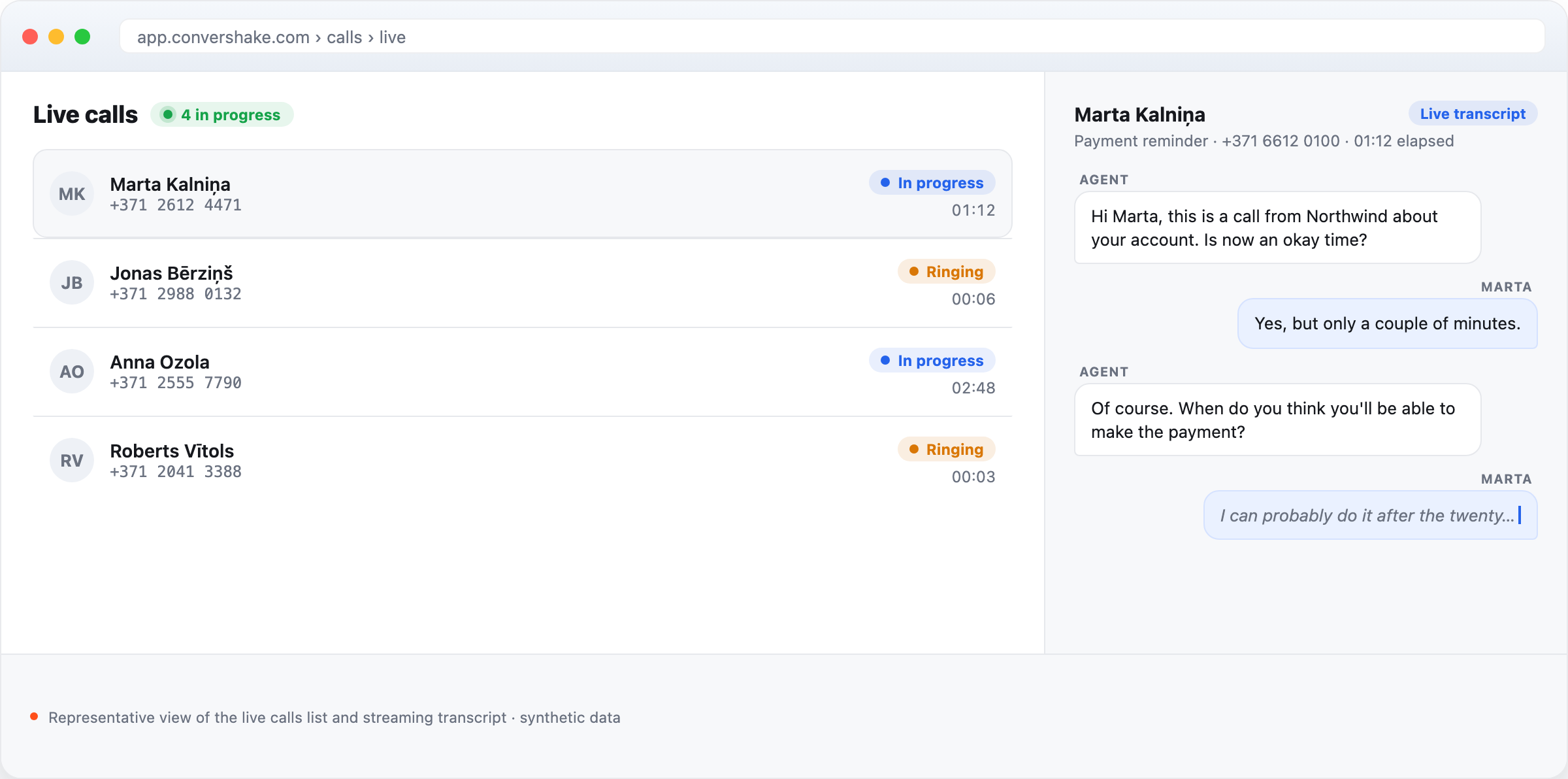
When a campaign is dialing, supervisors want to see the floor right now — which calls are live, how they're going, and how each one ends.
- A live list of calls in progress, including calls that are still ringing.
- Open any live call to read its transcript streaming in real time, line by line.
- Each call shows how it ended — answered, no answer, voicemail, transfer — with the elapsed time.
What shipped
- Live calls list, including ringing calls
- Real-time streaming transcript per call
- Call-end reason with elapsed time in the transcript
major
Hear agent and borrower on separate channels
Call recordings are now stereo — the agent on one channel and the borrower on the other. Overlaps are easy to follow, and QA or dispute review is clearer because each speaker is separated in the audio itself.
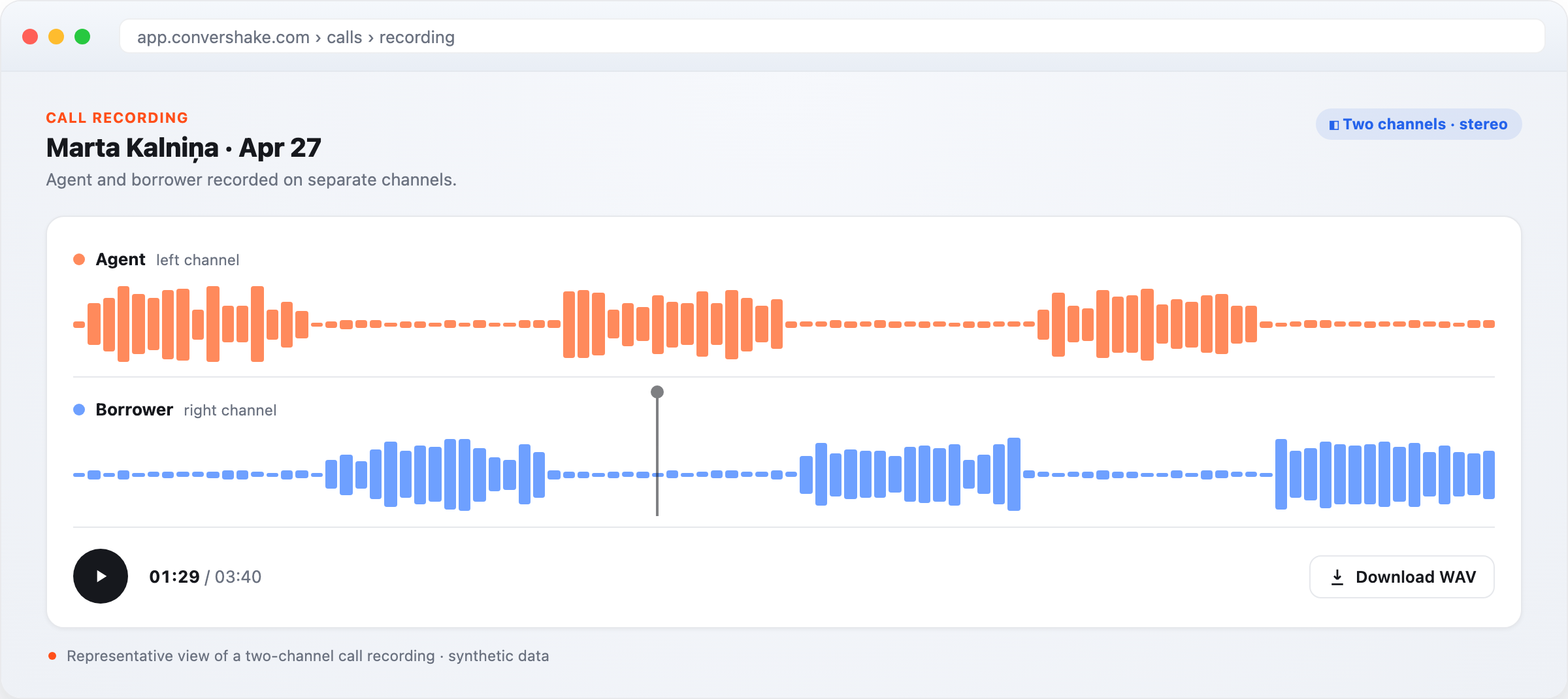
Reviewing a recording is easier when you can tell exactly who said what — the agent on one side, the borrower on the other.
- Every recording captures the agent and the borrower on separate audio channels.
- Play back or download the two-channel WAV for QA, training, or dispute review.
- Overlapping speech is easy to untangle because the speakers never share a channel.
What shipped
- Stereo recordings — agent and borrower on separate channels
- Two-channel WAV download
- Clearer QA and dispute review
Everything else that shipped
Campaigns
Calls and reporting

Languages
See it on your own flows
These shipped for every workspace with outbound campaigns.